
For AI coding sessions
Know your headroom.Before you hit the limit.
A free menu bar app for your Mac. It shows how much of your Claude plan is left, this week and in the current 5-hour window, and what every Claude Code session is doing right now. No login, no network, and nothing leaves your Mac.
Free · macOS 14 or later · Works with Claude Code
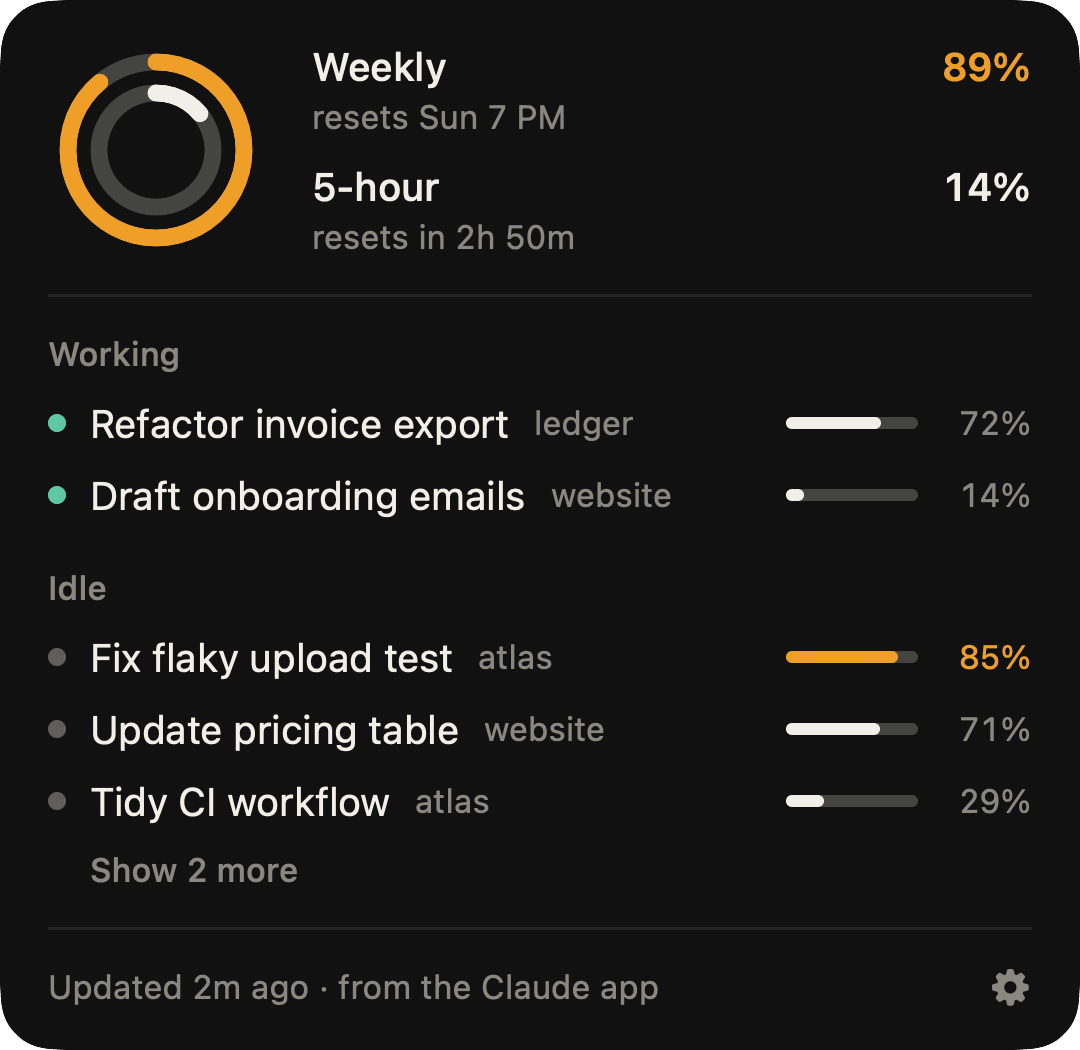
A live replica with sample data. Click the pill to close the panel.
What it shows
Everything you keep checking, one glance away.
Your plan limits, your sessions and their context, right where you already look: the menu bar.
01 / Limits
Limits at a glance.
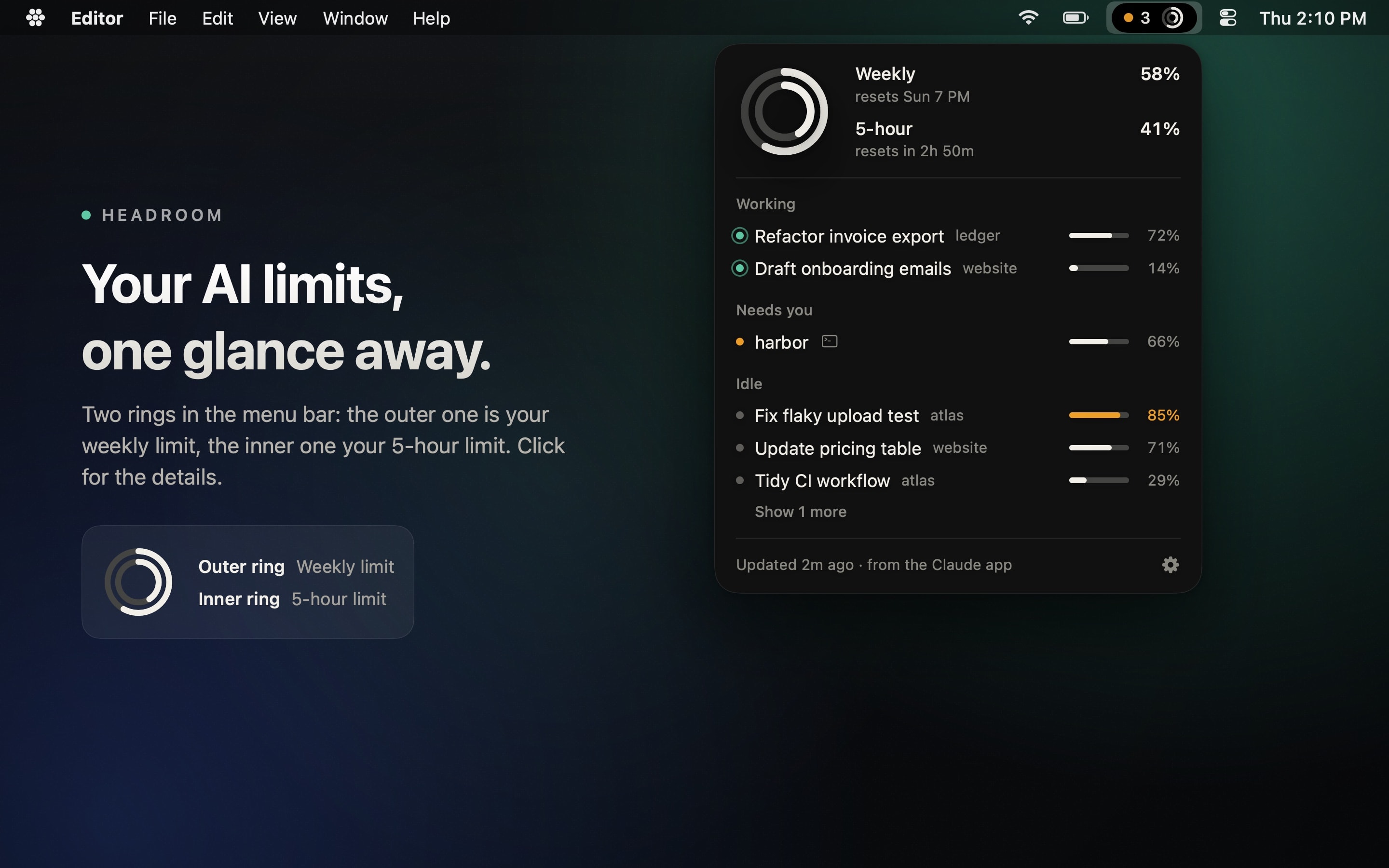
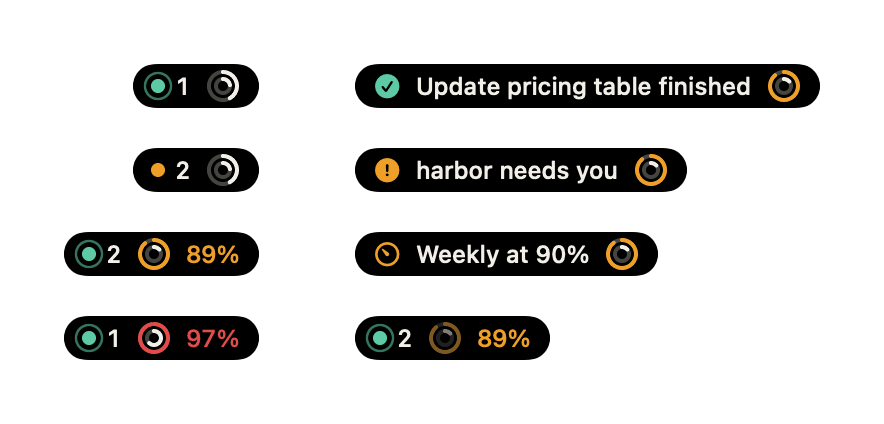
Two rings in your menu bar: the outer one is your weekly limit, the inner one your 5-hour limit. Once either passes 75%, its number shows next to them.
02 / Sessions
Every session, sorted.
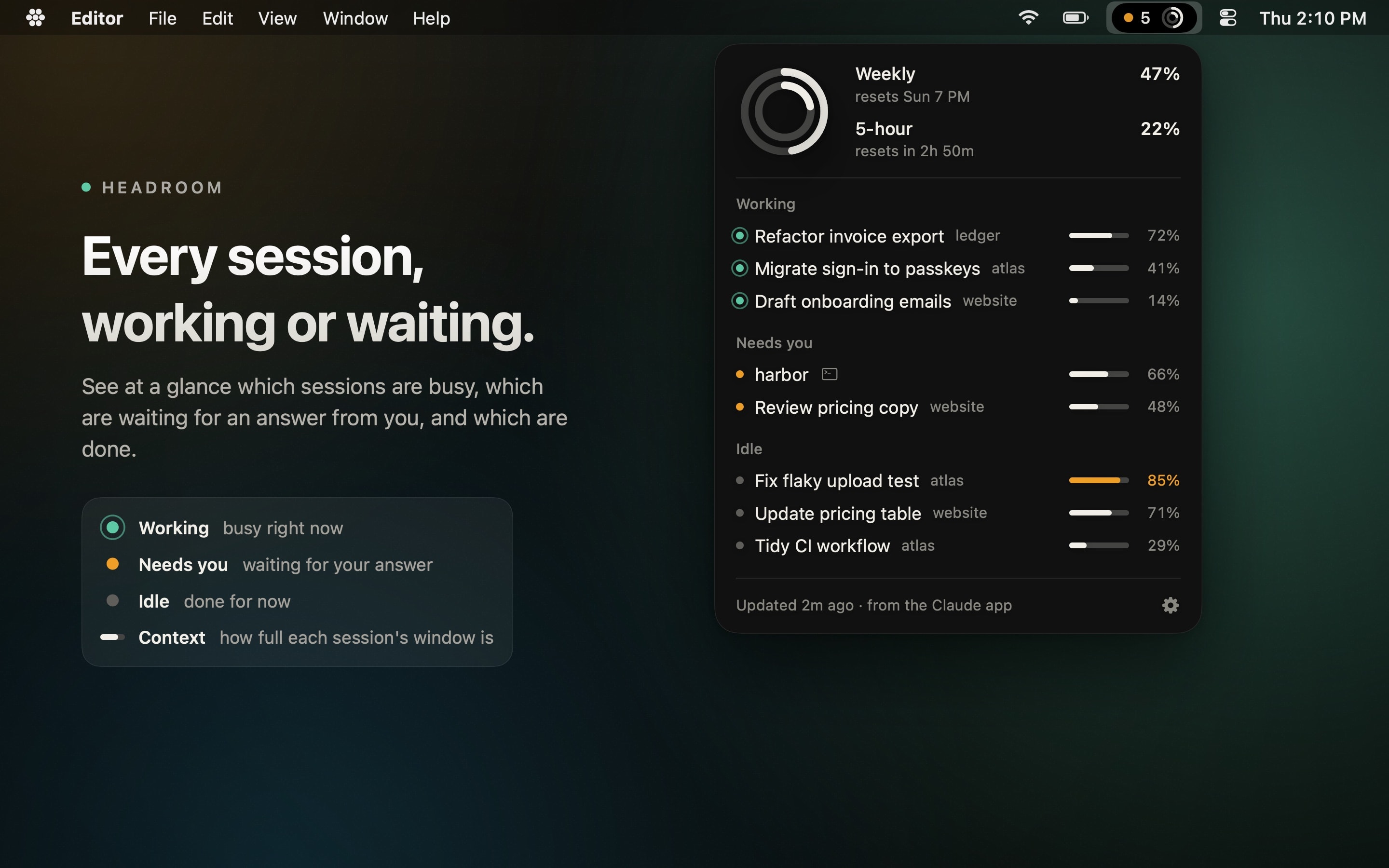
Click the pill to see each Claude Code session grouped as working, needs you or idle, with the project folder it runs in.
03 / Context
Context before it compacts.
A small bar on every session shows how full its context window is, so you can wrap up or start fresh before Claude compacts it.
04 / Moments
Moments, not notifications.
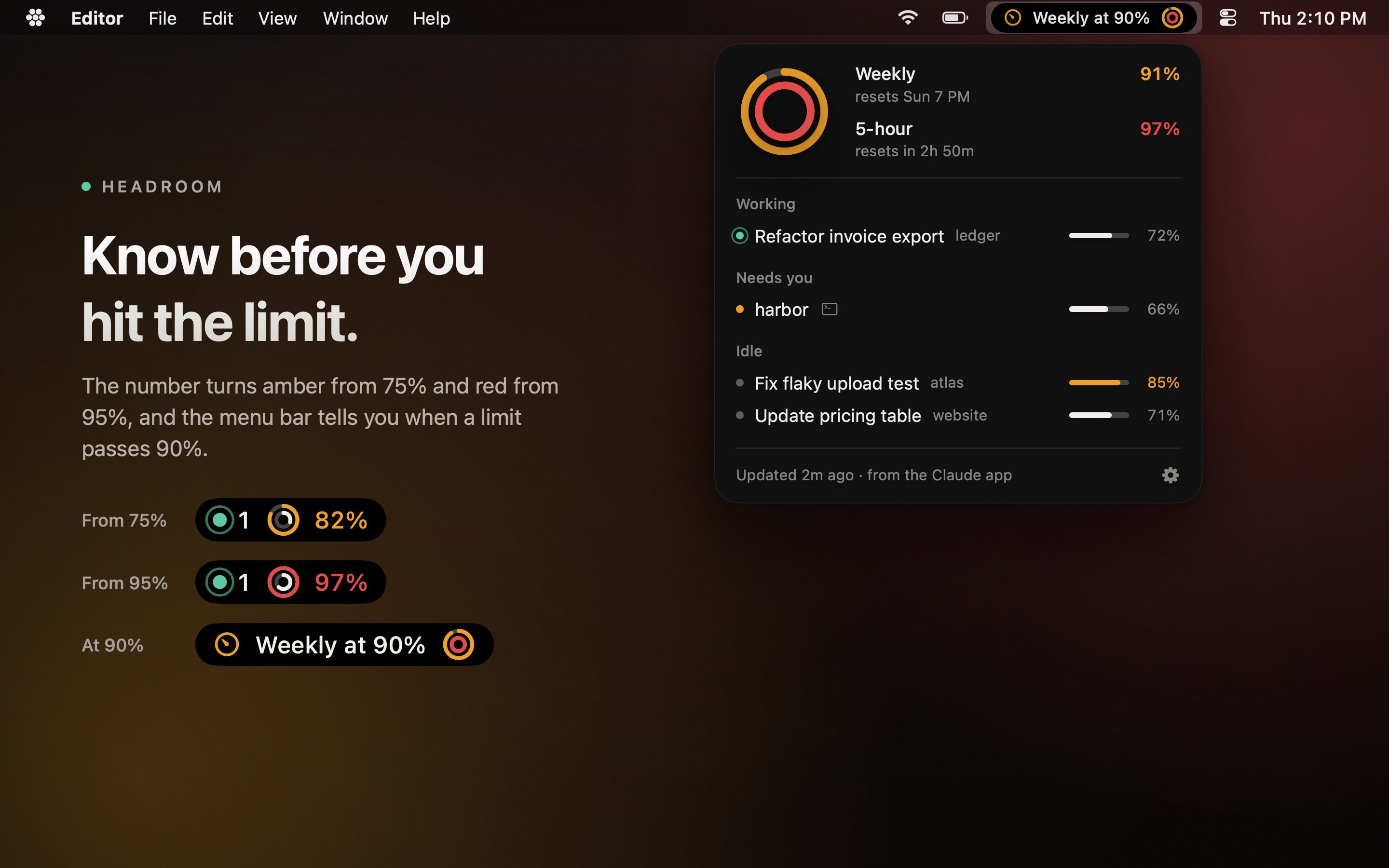
When a session finishes, needs your input, or a limit crosses 90%, the pill widens for a few seconds and says so. No sounds, no banners.
05 / Anywhere
Desktop app and terminal.
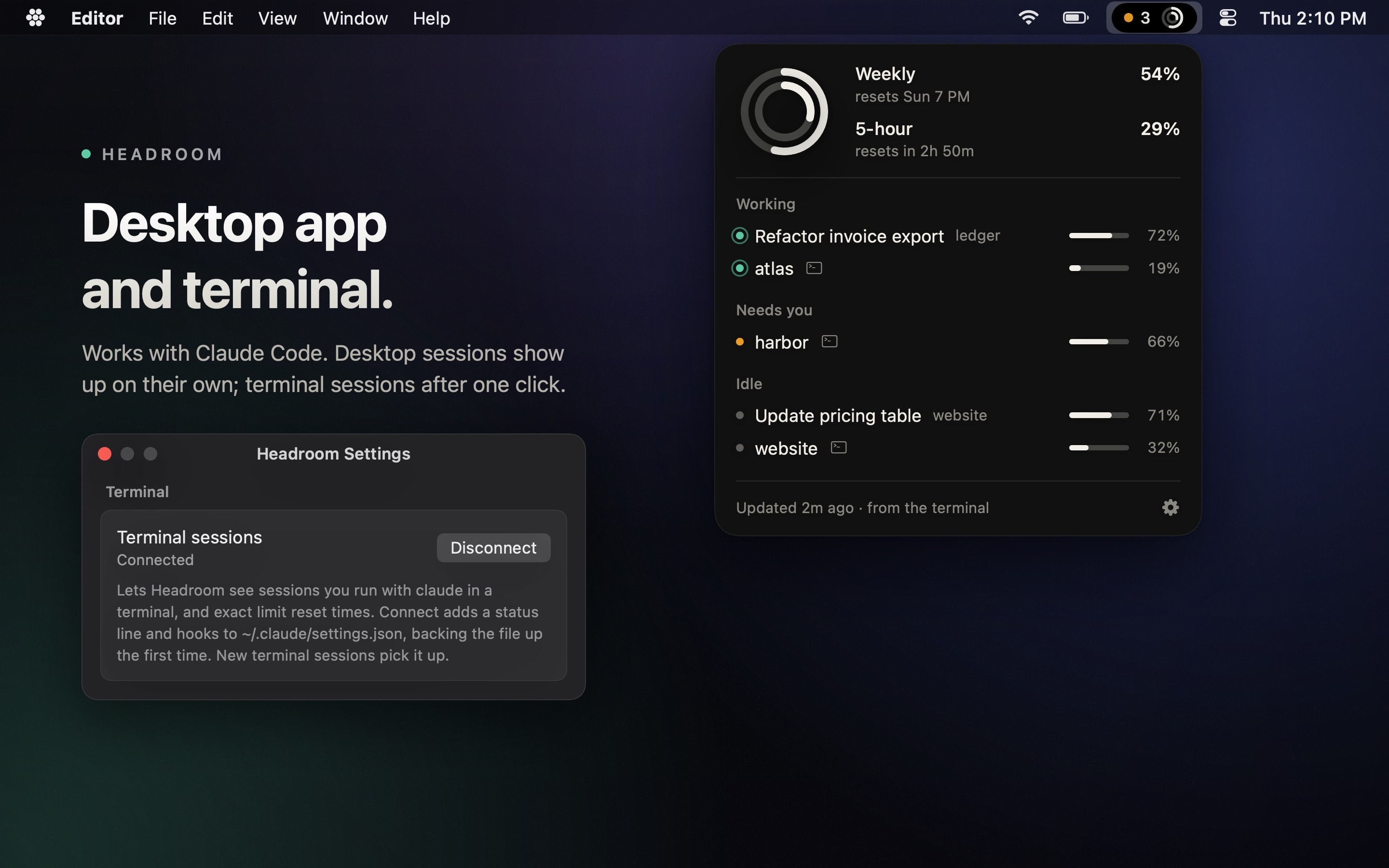
Sessions in the Claude desktop app show up with no setup. Terminal sessions show up after one click on Connect terminal.
06 / Private
Private by design.
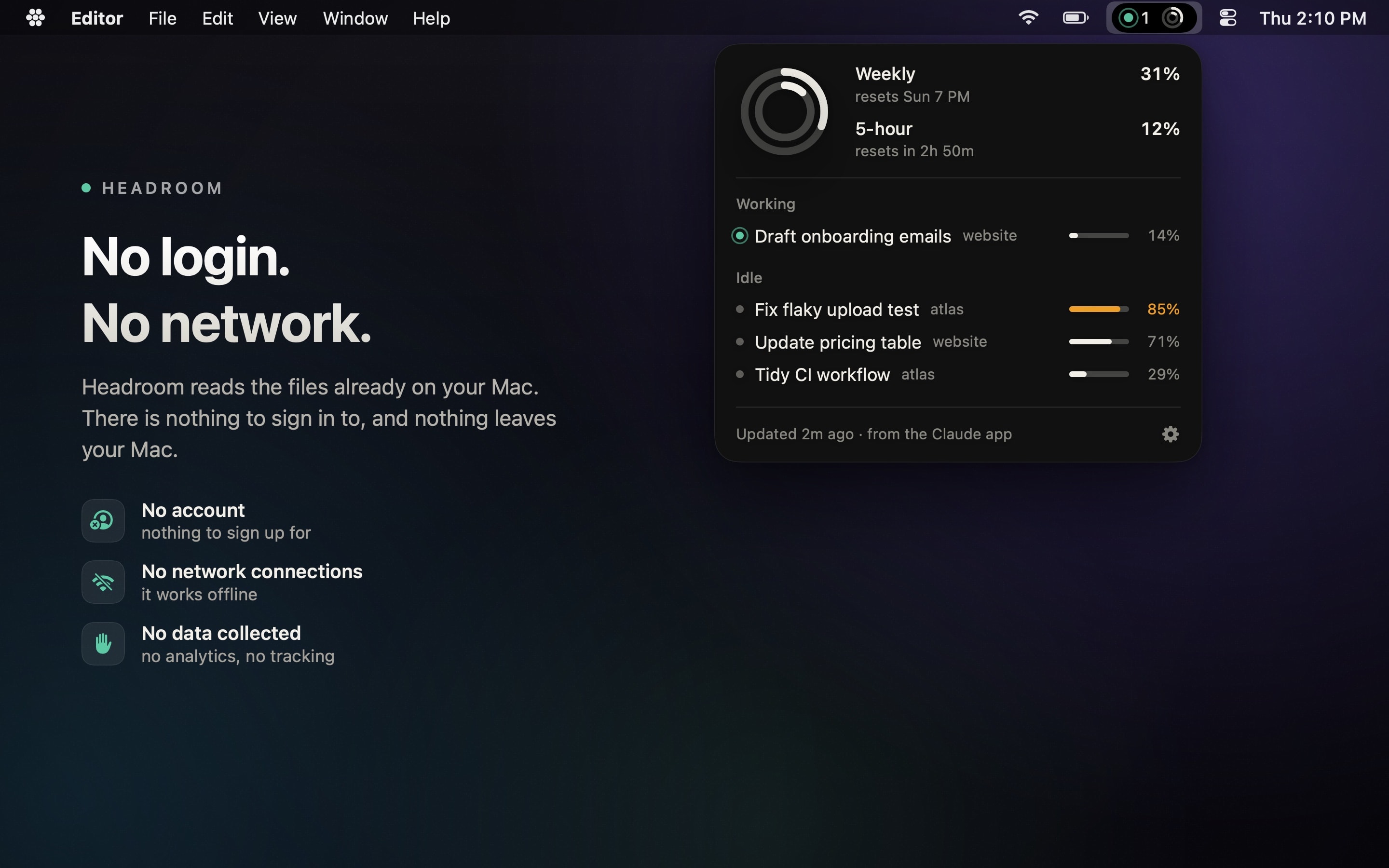
No login and no network. Headroom reads files Claude already writes on your Mac, and nothing leaves it.
07 / Native
Native and tiny.
A small Swift app for macOS 14 and later. It lives in your menu bar, not your Dock, and stays out of the way.
08 / Honest
Honest numbers.
An inferred reset time says so with a tilde. Old numbers say “as of” and how old they are. Headroom never guesses quietly.
How it works
Three steps, then just glance.
Desktop app sessions need nothing more. Terminal sessions need one extra click, once.
- 1
Install
Get Headroom free from the Mac App Store and open it. It lives in your menu bar, next to the clock.
Mac App StoreFree - 2
Grant two folders
Headroom asks once for the two folders Claude writes to, and only if they exist on your Mac. macOS remembers your answer. Using the terminal? Click Connect terminal too.
~/.claude~/Library/Application Support/Claude - 3
Glance
That's it. The pill keeps count and the rings keep score. Click it whenever you want the details.
Screenshots
See it up close.
Shown with sample data. Your own sessions and folders never leave your Mac.
Coming soon
More tools, the same glance.
Not in the app yet. These are next on the list.
- Coming soon
GitHub Copilot tracking
Copilot sessions and usage next to Claude Code's, in the same pill and panel.
- Coming soon
OpenAI Codex tracking
Codex sessions and limits, side by side with the rest, still without a login.
- Coming soon
Desktop widgets
The rings and your sessions as widgets, on the desktop and in Notification Center.
Is Headroom made by Anthropic?
No. Headroom is an independent app made by Nio Martinez. It isn't made by, affiliated with or endorsed by Anthropic.
Does it need my Claude login?
No. There is no sign-in of any kind. Headroom reads files that Claude Code and the Claude desktop app already write on your Mac.
Does it send my data anywhere?
No. Headroom makes no network connections, has no analytics and collects nothing. What it reads stays on your Mac.
Which plans does it work with?
The 5-hour and weekly limits show for Pro and Max plans. Sessions and context bars show for anyone using Claude Code.
If you use Claude Code in the terminal, click Connect terminal once, so Headroom can see those sessions and their limits too.
Which Macs does it run on?
Any Mac with macOS 14 Sonoma or later.
Is it free?
Yes. Headroom is free, with no ads and no account.
Know your headroom.
Free on the Mac App Store, soon. Questions or ideas? Write to hello@niomartinez.com.